Microsoft Exchange server is one of the sensitive areas where all the changes, attributes and user properties deserve a scrutinised monitoring to prevent from worse effects on the information exchange and the email communication process. You can’t let attribute and properties changes impact its availability, message security and compliance. So a proactive monitoring of all the exchange attributes and users is recommended and that's what 'Exchange Reports' in ADManager Plus does.
The Active Directory Exchange Reports provides a quick insight into exchange attributes of the users and members of the distribution and non-distribution lists. This helps the administrators to validate the members and update members to or from the distribution list; view the proxy addresses, email addresses, mailbox store, recipient settings, POP3 etc.
Distribution List Members
This feature gives the contacts and user details of the distribution lists of the Exchange Server.
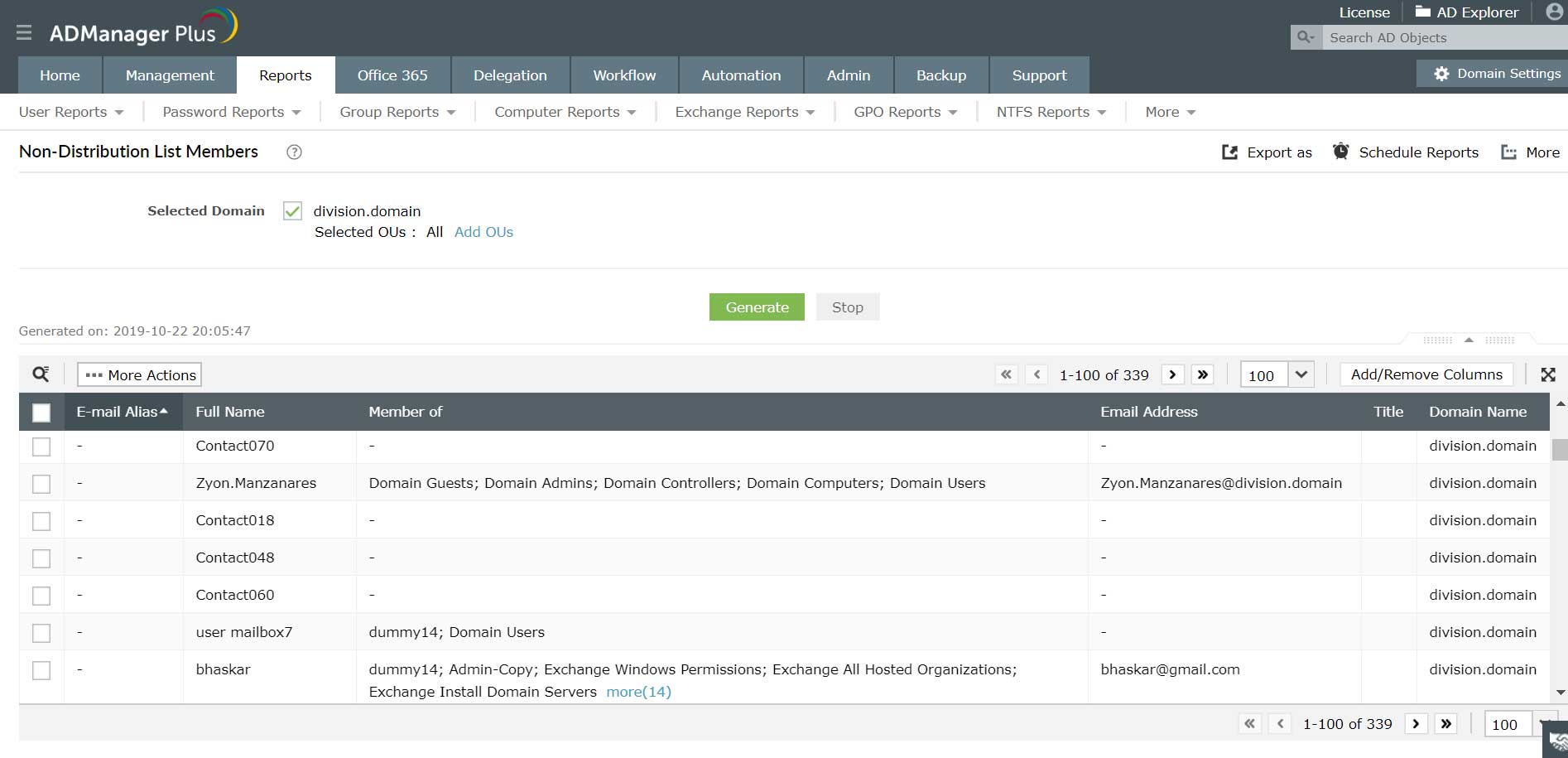
Mail enabled users Report
It provides the list of all mail-enabled users. Mail enabled users can receive messages only at an external mail address, they have no mail boxes in exchange server but still their names will be populated in the global address list.
Mailbox enabled users Report
It provides the list of all mailbox-enabled users. All mailbox-enabled users have a mailbox in microsoft exchange server.
Users hidden from exchange address lists Report
In organizations with large networks some mail addresses are kept confidential and would not be populated in the Global Address List. This report provides the list of all users whose mail addresses are hidden from exchange address list.
POP3 Disabled Report
This provides the list of POP3 disabled users. For the attribute “protocolSettings” LDAP contains different values, ADManager Plus retrieves the respective value for POP3 disabled users and provides the list.
IMAP4 Disabled Report
This provides the list of IMAP4 disabled users For the attribute “protocolSettings” LDAP contains different values, ADManager Plus retrieves the respective values for IMAP4 disabled users and provides the list.
The complete list of Exchange Server based reports:

Hi Shakeel,
ReplyDeleteThanks for sharing your insightful thoughts and suggestions - very helpful, and appreciated indeed.
On a related note, recently we needed a quick and efficient way to find out which accounts were OWA enabled (for an internal security audit) so we asked our on-site MS consultant and he recommended using the Gold Finger from Paramount Defenses Inc.
Gold Finger pleasantly surprised us because not only was it endorsed by Microsoft but also 100% FREE and loaded with almost 250 useful Active Directory security, Exchange and ACL management reports. BTW, you can download it for free from http://goldfinger.paramountdefenses.com
In particular, it has over 60 inbuilt Exchange reports, including OWA and MAPI enabled accounts. For a complete list of reports, checkout www.paramountdefenses.com/goldfinger_security_reports_exchange_management.php
Thought I'd share this with you incase it could help you too, especially if you need a free way to generate Exchange and AD security reports.
Thanks again, and looking forward to your next post.
Best wishes,
Jonathan